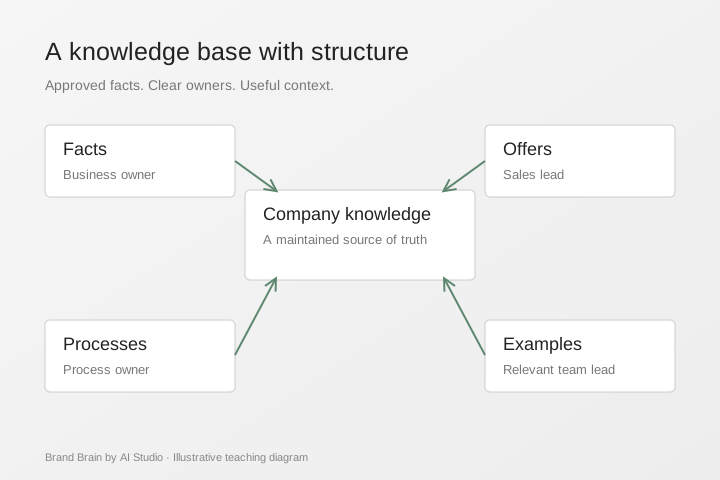
An AI knowledge base is an organised set of company information that people and their chosen AI tools can use. Its value comes from the quality, relevance and upkeep of the material. A large folder of uploads is only a starting point.
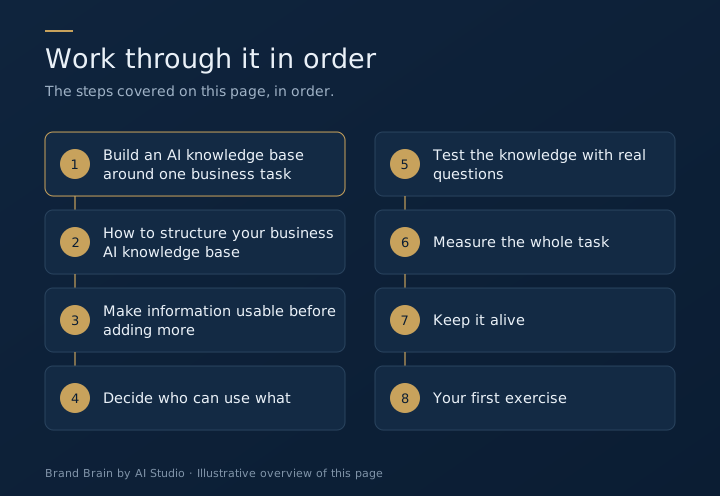
Step 1: Build an AI knowledge base around one business task
Choose a task that happens often enough to evaluate: drafting proposals, preparing campaign briefs or turning an established process into an SOP. Identify the person who does the work, the person who approves it and the information each needs.
For a proposal workflow, useful sources might be your service descriptions, approved scope options, current commercial rules, a good previous proposal and a list of exclusions. A complete history of the company is unlikely to improve the first draft.
Step 2: How to structure your business AI knowledge base
Use these sections as a starting point. Adapt them to your work rather than filling every section for its own sake.
| Section and owner | What to include |
|---|---|
| Company facts (business owner) | Approved description, contacts, products and services |
| Customers and offers (sales lead) | Audience needs, offer details and qualification rules |
| Standards (relevant team lead) | Voice, claims, examples and quality expectations |
| Processes (process owner) | Steps, handoffs, exceptions and approval rules |
| Work in progress (project owner) | Current status, responsible person and next action |
| Source register (knowledge champion) | Original document, owner and last review date |
Keep source facts separate from generated drafts. An AI-written summary should not silently replace an approved source. When two records disagree, resolve the conflict with the owner.
Step 3: Make information usable before adding more
Use descriptive titles. Put the approved version where staff can find it. Explain abbreviations and distinguish a rule from an example. Mark information that is incomplete or awaiting approval.
A practical source record contains a title, purpose, owner, last-reviewed date and link to the original. If a price or service changes, the record should show which workflow depends on it. You still need a process for updating each connected tool; a central document does not automatically refresh every AI application.
Step 4: Decide who can use what
A common foundation can contain public company facts and shared working standards. Finance, employment information and confidential client material may require separate access.
For each workflow, ask what information is actually necessary. Use an approved account and suitable settings. Check the tool's current data handling terms before connecting company sources. Do not assume that a team-wide knowledge base means team-wide access to every record.
Step 5: Test the knowledge with real questions
Prepare a short test set before you call the system ready. Include a normal request, an incomplete request and a question whose answer is not in the sources.
For a fictional design firm, a useful test is: “Draft a scope for a product launch. The brief does not state the number of assets.” A good workflow should identify the missing quantity. It should not invent a package or quietly reuse another client's terms.
Check facts, source references, missing-information handling, output format and approval steps. Ask another member of staff to run the task without your help. That tests whether the process is transferable.
Step 6: Measure the whole task
Time the original process through to an approved output. Then measure the new process, including source preparation, prompting, checking, corrections and maintenance. A fast first draft can still create more work downstream.
Research provides reasons to test AI, but a study of another task cannot establish your savings. Keep your own baseline and compare work of similar difficulty and quality.
Step 7: Keep it alive
Assign a champion. Review records when offers, responsibilities or processes change. Archive superseded material visibly. Collect questions that the core could not answer, then decide which deserve a source update.
At AI Studio, organising scattered work in a connected company workspace helped us see pending work, decisions and next steps more clearly. That experience informs Brand Brain: the goal is a useful, maintained company foundation that your team can reuse.
Step 8: Your first exercise
Choose one recurring task. Gather its approved sources. Write down the expected output and who checks it. Identify one missing fact that should make the workflow stop and ask.
That is a practical beginning for your Brand Brain. Our guided programme helps your team develop the foundation and put one selected workflow into use.
Apply this with your team
Our Brand Brain business training teaches this source structure through a real company task.
Questions teams ask
Do we need to upload every company file?
Start with the material needed for a selected task. A smaller, current source set is easier to check and maintain.
Can the whole team see the same information?
Shared company facts can have common access. Restricted client, finance or staff records need permissions suited to their use.
Does a source update reach every AI tool automatically?
Only if a tested integration supports it. Otherwise, the owner must update each relevant tool and check the result.
Who should maintain the knowledge base?
Appoint a champion to coordinate it and keep subject owners responsible for their own facts, rules and approvals.
How do we test whether it works?
Try an ordinary task, a missing-information case and a question without a source answer. Check accuracy and whether the output is usable.